Dollyoom [Dolly Zoom] v1.0
使用鼠标手势推拉缩放场景摄像机的blender插件。在保持拍摄对象大小不变的情况下,更改场景摄像机的焦距。当您想在尝试不同的摄像机角度时调整视角时,此功能非常有用。
使用方法
按下 Alt + M 并左右移动鼠标即可调整场景摄像机的视角。
默认情况下,焦点目标为活动物体。
运行时按 C 可将焦点对象更改为“活动物体”或“3D 光标”。
功能
菜单位置:3D 视图 > 视图 > 导航
按键映射:Alt + M
Shift 键:微调。
数字键:设置焦距的数值。
C 键:在活动物体和 3D 光标之间切换焦点。
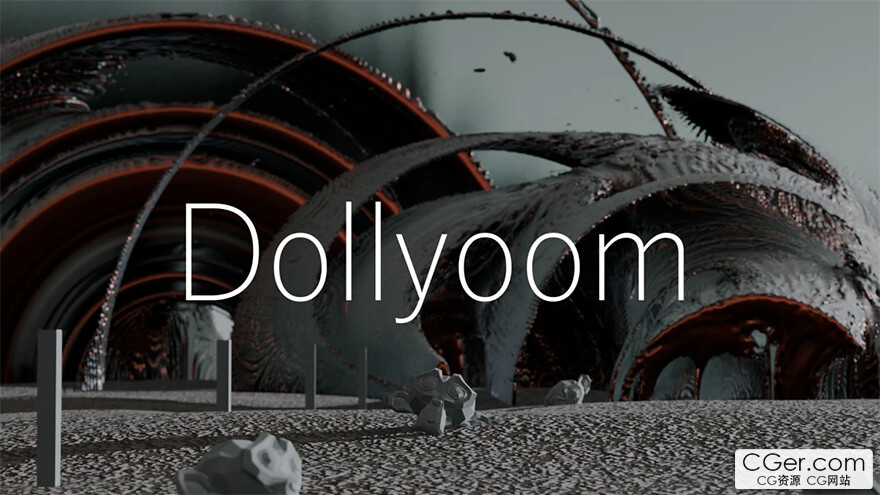
Dolly Zoom Mouse Gesture
Dolly zoom the scene camera with mouse gestures.
Changes the focal length of the scene camera while keeping the size of the subject constant.
This is useful when you want to adjust the perspective when experimenting with camera angles.
How to Use
Press Alt + M and move the mouse left or right to adjust the scene camera's perspective.
The focus target is the active object by default.
Press C while running to change the focus object to the "active object" or "3D cursor."
Features
Menu Location: 3D View > View > Navigation
KeyMap: Alt + M
Shift Key: Fine adjustments.
Number Keys: Numerical setting of focal length.
C Key: Switch focus between the active object and the 3D cursor.
描述:
标签: blender 插件 软件 工具 相机分类:资源 > 软件资源 > Blender及其插件
发布:CGer | 查看: | 发表时间:2025/10/25 22:33:07 | 更新时间:2025/10/25 22:36:14
○ 充值或账号问题请【点击这里联系站长】 |

| Dollyoom [Dolly Zoom] v1.0 链接: https://pan.baidu.com/s/1XLIrThhJDqSSOI8aA9sRdQ?pwd=a2qk 提取码: a2qk | |
| 常见问题,点击查询: | ||
| ●CGer(Cg儿)资源下载帮助 | ||
| ●资源名词解释 | ||
| ●注册/登陆问题 | ||
| ●充值出错/修改密码/忘记密码 | ||
| ●充值赠送系统 | ||
| ●文件解压出错/解压密码 | ||
| ●Payment with Paypal | ||
| ●哪些资源会被列为付费资源 | ||
| ●为何要充值解锁 | ||
| ●免责条款 | ||
| ●联系站长(联系站长前请先仔细阅读 免责条款 ,网站只提供资源,不提供软件安装等服务!) | ||





-
网站置顶/公示帖集合
4 0 0
资源 > 软件资源 > Blender及其插件
-
网站置顶/公示帖集合
117 0 2
资源 > 软件资源 > Blender及其插件
-

网站置顶/公示帖集合
677 0 4
资源 > 软件资源 > Blender及其插件