UDIM One-Click Material for Blender v1.0.1
轻量级 Blender 插件,一键即可设置完整的 UDIM 材质。
功能:
● 一步导入包含 UDIM 贴图(1001、1002、1003 等)的文件夹。
● 自动检测常用贴图:底色、粗糙度、金属度、法线、
高度/位移、环境光遮蔽、不透明度、镜面反射。
● 智能连接到 Principled BSDF 着色器。
● 为颜色和数据贴图设置正确的色彩空间。
● 自动进行环境光遮蔽 × 底色相乘。
● 可选的位移连接。
● 适用于高端角色、道具或环境的多贴图纹理。
使用方法:
1. 选择您的对象。
2. 前往“材质属性”→“UDIM 一键导入”。
3. 点击“导入 UDIM 材质”,然后选择您的纹理文件夹。
4. 完成 — 材质已立即构建并分配。
您会喜欢它的原因:
● 加速纹理工作流程——无需手动设置节点。
● 非常适合使用多图块 UDIM 导出的艺术家。
● 简单、快速、可立即投入生产。
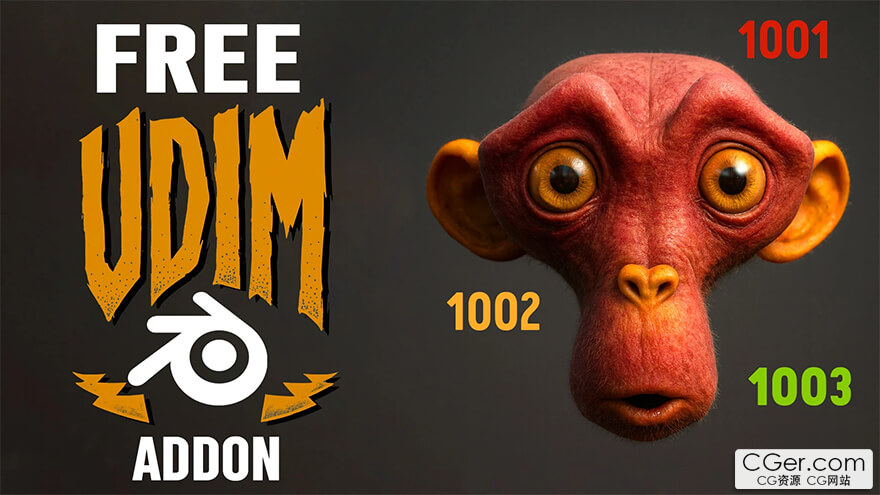
A lightweight Blender add-on that lets you set up full UDIM materials with just one click.
Features:
● Import a folder of UDIM tiles (1001, 1002, 1003, …) in a single step.
● Automatic detection of common maps: Base Color, Roughness, Metallic, Normal,
Height/Displacement, AO, Opacity, Specular.
● Smart wiring to a Principled BSDF shader.
● Correct color space setup for color and data maps.
● Automatic AO × BaseColor multiplication.
● Optional displacement connection.
● Works with multi-tile textures for high-end characters, props, or environments.
How it works:
1. Select your object.
2. Go to Material Properties → UDIM One-Click.
3. Click Import UDIM Material and pick your texture folder.
4. Done — the material is built and assigned instantly.
Why you’ll love it:
● Speeds up texturing workflow — no more manual node setup.
● Perfect for artists working with multi-tile UDIM exports.
● Simple, fast, and production-ready.
描述:
标签: blender 插件 软件 工具 材质分类:资源 > 软件资源 > Blender及其插件
发布:CGer | 查看: | 发表时间:2025/10/26 21:09:30 | 更新时间:2025/10/26 21:12:43
○ 充值或账号问题请【点击这里联系站长】 |

UDIM One-Click Material for Blender v1.0.1 链接: https://pan.baidu.com/s/1PSbxEt0-tPi0oVlCby6puA?pwd=icru 提取码: icru | |
| 常见问题,点击查询: | ||
| ●CGer(Cg儿)资源下载帮助 | ||
| ●资源名词解释 | ||
| ●注册/登陆问题 | ||
| ●充值出错/修改密码/忘记密码 | ||
| ●充值赠送系统 | ||
| ●文件解压出错/解压密码 | ||
| ●Payment with Paypal | ||
| ●哪些资源会被列为付费资源 | ||
| ●为何要充值解锁 | ||
| ●免责条款 | ||
| ●联系站长(联系站长前请先仔细阅读 免责条款 ,网站只提供资源,不提供软件安装等服务!) | ||





-
网站置顶/公示帖集合
4 0 0
资源 > 软件资源 > Blender及其插件
-
网站置顶/公示帖集合
117 0 2
资源 > 软件资源 > Blender及其插件
-

网站置顶/公示帖集合
677 0 4
资源 > 软件资源 > Blender及其插件