rBDims v0.0.8 for 3dsMax
用于测量对象(或多个对象)的3dsmax工具。
右键单击“测量”按钮,即可使用 4 种方法。方法 1 至 3 使用视口绘图方法。方法 4 是简化的类似 AutoCAD 的线性标注。
1. 测量
选择对象,单击“测量”,即可测量每个选定对象的尺寸。
选择对象,按住 Shift 键并单击“测量”,即可测量选定对象的尺寸。
选择对象,按住 Control 键并单击“测量”,即可测量对象中心点之间的距离。如果选择的是组,则只会测量组头,并忽略其成员。
2. 距离
此工具测量选定点之间的距离。按住 Shift 键并单击可清除已测量的距离。
3. 标注
创建类似 AutoCAD 的标注。您可以通过右键单击“标注”>“设置”来使用一些设置。
为获得最佳效果,请在非透视/相机/正交视图中使用此工具,否则标注可能会因视口旋转而旋转。
标注的法线方向由选定点的顺序决定(例如:从左到右)。
您可以随时通过右键单击并选择菜单项来切换到不同的统计方法。
4. VP 统计
对选定对象运行持久统计。首次运行时会弹出确认框,询问是否将统计信息保留在当前 3ds Max 会话中。
单击“VP 统计”将显示选定对象的数量(如果只选择了一个对象,则显示名称)、选定对象的材质数量(如果只为选定对象分配了一个材质,则显示材质名称)、总面数、总顶点数和中心选择坐标(如果只选择了一个对象,则显示轴心点)。
按住 Shift 键并单击“VP 统计”将显示选定对象的名称和轴心点坐标。
首次单击按钮时,方法 1、2、3 将被激活。第二次单击按钮(即:当它们处于激活状态时)将停用/切换方法。“VP 统计”方法除外,它可以选择将统计信息保留在 3ds Max 会话中。
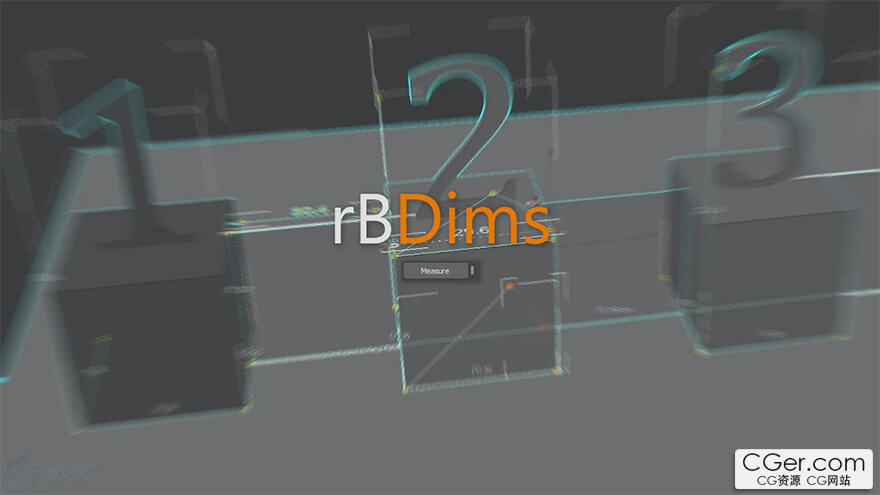
Tool for measure object(s).
There are 4 methods available via rightclick “Measure” button. Methods 1 to 3 use Viewport Drawing methods. Method 4 is simplified AutoCAD like linear dimension.
1. Measure
Select object(s) click “Measure”, will measure each selected object dimension.
Select objects Shift+Click “Measure”, will measure selected objects dimension.
Select objects Control+Click “Measure”, will measure distance between objects pivot. If group(s) selected, will only get its grouphead and discard its member.
2. Distance
This tool measure distance between picked points. Shift+Click to clear measured distance.
3. Dimension
Create AutoCAD like dimension. There are some settings you can use by rightClick “Dimension” > “settings”.
For best result, use this tool in non perspective/camera/ortho, otherwise dimension might rotated depend on your viewport rotation.
Dimension normal determined by the order of picked points (ie: left to right).
You can switch to different methods anytime by rightclick and select menuitem.
4. VP Statistic
Run persistent statistic on selected objects. A confirmation box appear on first run, whether to keep stat in current session of 3dsMax or not.
Click “VP statistic” will show selected objects count (or name, if single object selected), selected objects material count (or material name, when only 1 material assigned to selected object(s)), total faces, total vertices and center selection coordinate (or pivot, if single object selected).
Shift+Click “VP statistic” will show selected object(s) name and pivot coordinate.
NEW in v0.0.2: VP statistic setting rollout to choose what stat to display in viewport
1,2,3 methods are activated at first button click. The second click button (ie: when they are active) will deactivate/switch the method. Except for the “VP Statistic” which have option to leave the stat persistent in 3dsMax session.
描述:
标签: max 插件 软件 工具 测量分类:资源 > 软件资源 > 3Ds max 插件
发布:CGer | 查看: | 发表时间:2025/11/22 22:46:05 | 更新时间:2025/11/22 22:49:12
○ 充值或账号问题请【点击这里联系站长】 |

| 网盘下载链接 | 链接: https://pan.baidu.com/s/1Nx7o56sp7D7jvHF895Hebg?pwd=vd6e 提取码: vd6e |
| 常见问题,点击查询: | ||
| ●CGer(Cg儿)资源下载帮助 | ||
| ●资源名词解释 | ||
| ●注册/登陆问题 | ||
| ●充值出错/修改密码/忘记密码 | ||
| ●充值赠送系统 | ||
| ●文件解压出错/解压密码 | ||
| ●Payment with Paypal | ||
| ●哪些资源会被列为付费资源 | ||
| ●为何要充值解锁 | ||
| ●免责条款 | ||
| ●联系站长(联系站长前请先仔细阅读 免责条款 ,网站只提供资源,不提供软件安装等服务!) | ||





-

网站置顶/公示帖集合
2064 0 35
资源 > 软件资源 > 3Ds max 插件
-
网站置顶/公示帖集合
97 0 11
资源 > 软件资源 > 3Ds max 插件
-

网站置顶/公示帖集合
62 0 11
资源 > 软件资源 > 3Ds max 插件