Nero Blur Face - AI Motion Tracking Video Editor 1.0.51.0 Win
Blur Face(运动追踪视频编辑器)允许您持续追踪视频中的特定区域。追踪完成后,您可以选择对该区域应用模糊或马赛克效果,以遮盖或保护视频中的隐私信息,例如人脸、车牌、标志以及纸上的机密信息。现在,您还可以使用各种字体、大小和颜色为视频添加个性化消息或字幕,或者使用预设的热门主题剪贴画进一步个性化您的视频。
运动追踪
持续追踪视频中的特定区域并自动调整其大小。
应用效果
对追踪区域应用模糊和马赛克效果,并可调整效果强度。
个性化
向追踪区域添加文本或剪贴画。
导出视频
以 MP4 格式导出处理后的视频,且不会损失原始画质。
系统要求
- 操作系统:Windows 10 版本 14393.0 或更高版本
- DirectX:版本 11
- 内存:2 GB(最低),4 GB(推荐)
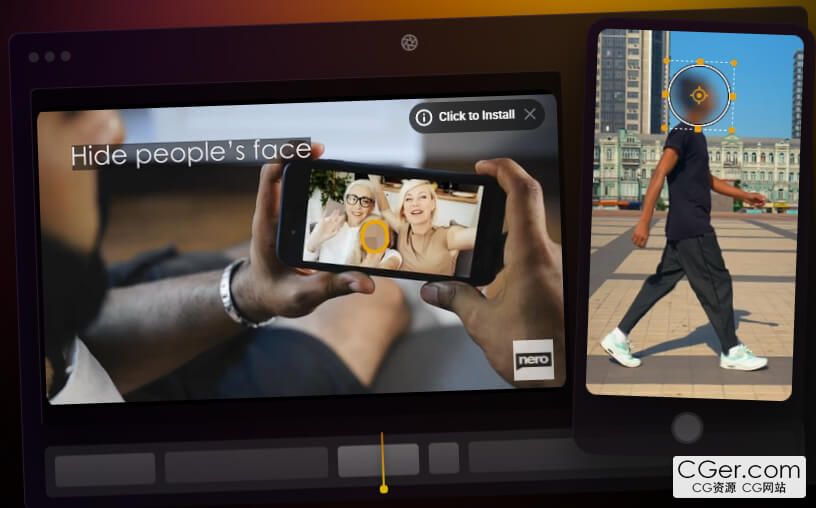
Blur Face (Motion Tracking Video Editor) allows you to continuously track a specific area in your video. Once tracking is complete, you can choose to apply a blur or mosaic effect to the area to cover or protect private information such as faces, license plates, signs and confidential information on paper in your video. Now also add personalized messages or captions to your videos using a variety of fonts, sizes and colors, or further personalize your videos with pre-designed clipart illustrations of popular themes.
Motion tracking
Continuously track an area of the video and adapt to its size.
Apply effects
Apply blur and mosaic effects to the tracking area and be able to adjust the intensity of the effect.
Personalization
Add text or clip art to the tracking area.
Export video
Export the processed video in MP4 format without losing the original quality.
System Requirements
- OS: Windows 10 version 14393.0 or higher
- DirectX: Version 11
- Memory: 2 GB (Minimum), 4 GB (Recommended)
描述:
标签: 面部 脸部 追踪 跟踪 模糊 打码 软件 工具分类:资源 > 软件资源 > 软件资源:未分类
发布:CGer | 查看: | 发表时间:2026/1/9 21:12:43 | 更新时间:2026/1/9 21:19:41
○ 充值或账号问题请【点击这里联系站长】 |


点击消耗 10 CG点(约 1.0 元)解锁 30个通用资源, 24小时内有效!(有效期内不重复扣点)



| 常见问题,点击查询: | ||
| ●CGer(Cg儿)资源下载帮助 | ||
| ●资源名词解释 | ||
| ●注册/登陆问题 | ||
| ●充值出错/修改密码/忘记密码 | ||
| ●充值赠送系统 | ||
| ●文件解压出错/解压密码 | ||
| ●Payment with Paypal | ||
| ●哪些资源会被列为付费资源 | ||
| ●为何要充值解锁 | ||
| ●免责条款 | ||
| ●联系站长(联系站长前请先仔细阅读 免责条款 ,网站只提供资源,不提供软件安装等服务!) | ||