Asset Library Tools v1.0.0
Blender 资源库工具通过简化大型资源库的搜索和更安全地管理,提升了 Blender 资源浏览器中的工作效率。
主要功能
按资源类型筛选:一键切换对象、材质、集合、世界等。
智能标签搜索:在可搜索的弹出窗口中浏览所有已索引的标签。
固定和最近使用的标签:将最常用的标签“固定”以便快速访问,并可快速重用最近搜索过的标签。
目录备份和恢复:一键备份,保护您的资源库结构。
自动清理:仅保留最近的备份以节省空间。
打开资源库文件夹:单击活动资源库名称旁边的文件夹图标,即可直接跳转到磁盘上的相应位置。
位置
资源浏览器 → T 面板 → 资源库工具
包含:
活动资源库:状态和打开文件夹按钮。
标签筛选器:类型切换、标签搜索、固定/最近使用列表。
标签索引器:(可折叠)用于构建标签数据库的工具。目录备份:(可折叠)备份和恢复操作。
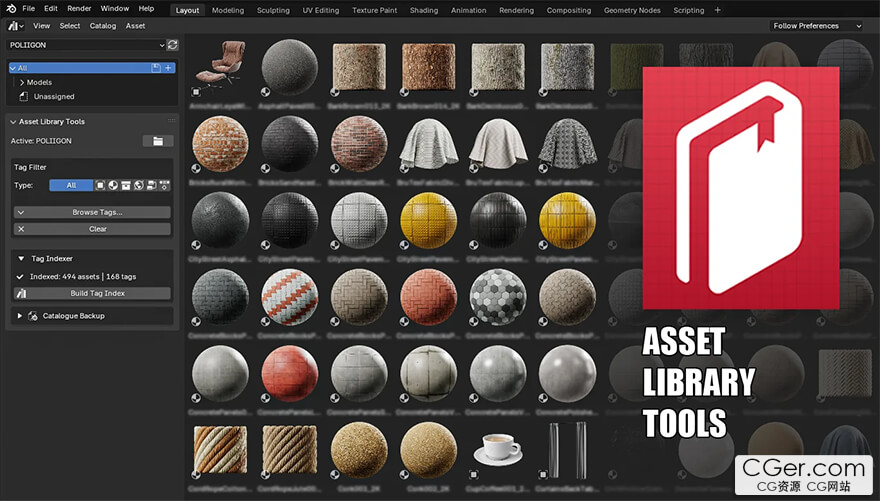
Asset Library Tools improves productivity inside Blender’s Asset Browser by making large asset libraries easier to search and safer to manage.
Key Features
Filter by Asset Type: Toggle Objects, Materials, Collections, Worlds, etc., with a single click.
Smart Tag Search: Browse all indexed tags in a searchable popup.
Pinned & Recent Tags: "Pin" your most-used tags for instant access, and quickly reuse recently searched tags.
Catalogue Backup & Restore: One-click backup to safeguard your library structure.
Automatic Pruning: Keeps only the most recent backups to save space.
Open Library Folder: Click the folder icon next to the active library name to jump directly to the location on disk.
Location
Asset Browser → T-Panel → Asset Library Tools
Contains:
Active Library: Status and Open Folder button.
Tag Filter: Type toggles, Tag search, Pinned/Recent lists.
Tag Indexer: (Collapsible) Tools to build the tag database.
Catalogue Backup: (Collapsible) Backup and Restore operations.
描述:
标签: blender 插件 软件 工具分类:资源 > 软件资源 > Blender及其插件
发布:CGer | 查看: | 发表时间:2026/1/11 11:40:05 | 更新时间:2026/1/11 22:16:40
○ 充值或账号问题请【点击这里联系站长】 |

| 网盘下载链接 | 链接: https://pan.baidu.com/s/1aLwvYoh0BeThSbeLswbsBw?pwd=ftq7 提取码: ftq7 |
| 常见问题,点击查询: | ||
| ●CGer(Cg儿)资源下载帮助 | ||
| ●资源名词解释 | ||
| ●注册/登陆问题 | ||
| ●充值出错/修改密码/忘记密码 | ||
| ●充值赠送系统 | ||
| ●文件解压出错/解压密码 | ||
| ●Payment with Paypal | ||
| ●哪些资源会被列为付费资源 | ||
| ●为何要充值解锁 | ||
| ●免责条款 | ||
| ●联系站长(联系站长前请先仔细阅读 免责条款 ,网站只提供资源,不提供软件安装等服务!) | ||





-

网站置顶/公示帖集合
8 0 0
资源 > 软件资源 > Blender及其插件
-

网站置顶/公示帖集合
29 0 0
资源 > 软件资源 > Blender及其插件
-

网站置顶/公示帖集合
51 0 0
资源 > 软件资源 > Blender及其插件