Cinematic Color Grading Node for Blender 5.0 (AgX Workflow)
直接在 Blender 的合成器中,将平面渲染图转化为电影级画面。无需 DaVinci Resolve,也无需 Photoshop。
这是我为 Blender 5.0(AgX 工作流程)开发的电影级调色节点 - 我正是使用这套设置,在将作品发布到 Instagram 之前,赋予它们电影般的质感。
如果你能在 Blender 中渲染,但图像看起来仍然“像游戏画面”或过于平面,那么这组节点可以为你提供简单易用的 DaVinci Resolve 式调色工作流程,无需离开 Blender。
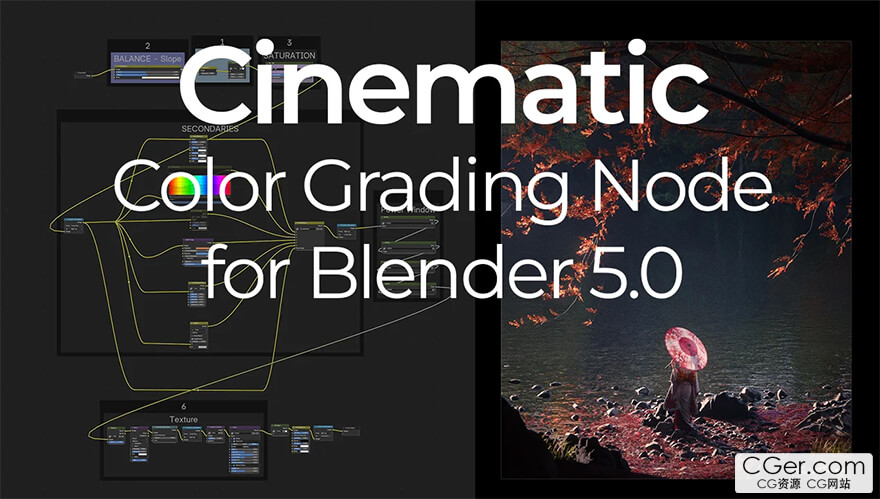
Turn flat renders into cinematic frames – directly inside Blender’s compositor. No DaVinci, no Photoshop.
This is my Cinematic Color Grading Node for Blender 5.0 (AgX Workflow) – the exact setup I use to give my artworks a film-like look before posting them on Instagram.
If you can render in Blender but your images still look “game-like” or flat, this node group gives you a simple, DaVinci-style grading workflow without leaving Blender.
描述:
标签: blender 插件 软件 工具分类:资源 > 软件资源 > Blender及其插件
发布:CGer | 查看: | 发表时间:2026/1/11 11:51:54 | 更新时间:2026/1/11 22:16:21
○ 充值或账号问题请【点击这里联系站长】 |

| Cinematic Color Grading Node for Blender 5.0 (AgX Workflow) 链接: https://pan.baidu.com/s/19fNAVXWAq9AwJggJEik0qw?pwd=w7kk 提取码: w7kk | |
| 常见问题,点击查询: | ||
| ●CGer(Cg儿)资源下载帮助 | ||
| ●资源名词解释 | ||
| ●注册/登陆问题 | ||
| ●充值出错/修改密码/忘记密码 | ||
| ●充值赠送系统 | ||
| ●文件解压出错/解压密码 | ||
| ●Payment with Paypal | ||
| ●哪些资源会被列为付费资源 | ||
| ●为何要充值解锁 | ||
| ●免责条款 | ||
| ●联系站长(联系站长前请先仔细阅读 免责条款 ,网站只提供资源,不提供软件安装等服务!) | ||





-

网站置顶/公示帖集合
14 0 0
资源 > 软件资源 > Blender及其插件
-

网站置顶/公示帖集合
30 0 0
资源 > 软件资源 > Blender及其插件
-

网站置顶/公示帖集合
51 0 0
资源 > 软件资源 > Blender及其插件