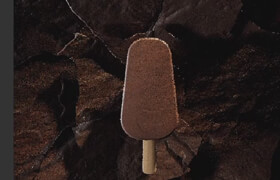
Rebelway - Motion Design in Houdini
Rebelway - Motion Design in Houdini (Update week8)
Rebelway - 胡迪尼中的动画设计教程
在本课程中,您将探索 Houdini 中的动态设计艺术,学习如何构建程序化工具、创建动态模拟,以及从概念到最终渲染开发电影级动画。
第一周
Houdini 动态设计入门。我们将介绍第一个项目,并讲解一些使用 Houdini 进行动态设计的理论知识。您将学习不同的动态设计方法:何时使用 SOP、何时使用 VEX 以及何时进行模拟。我们还将探讨选择不同方法的原因,以及如何组合运用各种技术。
第二周
在第二周,我们将深入学习第一个项目的技术。您将学习几种不同的几何体实例处理方法,并根据您要解决的问题选择合适的方法。我们还将讲解如何结合程序化动画来指导 Vellum 模拟。
第三周
在第三周,我们将介绍第二个项目。我们将探索几种实用的特效技巧,将一些常见的特效组合成意想不到的效果。我们还将探索如何在设置中添加更多控制选项。
第四周
第四周,我们将完成第二个项目。我们将以第三周的成果为基础,搭建专业的镜头和动画,这些镜头和动画通常会出现在高端动态图形或动画作品中。我们将使用上周创建的控制选项,为动画增加更多复杂性。
第五周
我们计划开展一个更大的项目,为期三周,结合前四周学习到的技巧。首先,我们将规划一个三镜头的产品展示。我们将寻找并准备几何体,以便拥有创作高端作品所需的所有创意控制。然后,我们将使用粗略的动画和镜头运动来搭建序列框架。
第六周
第六周,我们将使用搭建好的序列框架,开始构建特效和动态设计图层。我们将把模型制作分成几个部分。第六周,我们将处理泡沫和皮革部件。我们会探索如何为动态设计添加新的元素:高度场和体积。
第七周
第七周,我们将开始制作塑料和网格部件。我们将深入研究高度场模拟和 VEX,以精确控制动画。我们将使用第一周的曲线工具作为网格的基础。最后,我们将开始把所有部件组合在一起,完成最终动画。
第八周
我们将对项目进行最后的润色,并设置要传递给着色器的属性。在进行场景的灯光和渲染之前,我们将使用最后的 VEX 技巧完成项目。最后,我们将模型导入 Nuke 进行合成。

In this course you will explores the art of motion design in Houdini, you will learn how to build procedural tools, create dynamic simulations, and develop cinematic animations from concept to final render.
WEEK 1
Introduction to Houdini for motion design. We’ll introduce the first project we’ll tackle as well as some theory into using Houdini for motion design. You’ll learn different approaches to motion design; when to use sops, when to use vex, and when to simulate. We’ll also go into why we choose one option over the other as well as combining techniques.
WEEK 2
In week two we’ll dig deeper into the techniques of the first project. You’ll learn a couple different approaches to handling geometry instances and why to choose one over the other based on the problem you’re trying to solve. We’ll also go over how to art direct vellum simulations in conjunction with procedural animation
WEEK 3
In week three we will introduce our second project. We’ll explore several handy vex techniques to combine some commonly seen FX into something unexpected. We’ll also explore how to build additional control into our setups.
WEEK 4
In week four we’ll finish our second project. We’ll build upon what we created in week three. From there, we’ll set up proper shots and animation that you would typically see in a high end motion graphics or animated piece. We’ll use the controls we created the previous week to add another level of complexity to our animation.
WEEK 5
We plan a larger, 3 week project combining the techniques we’ve learned in the first 4 weeks. We start by planning a 3 shot product reveal. We’ll source and prep our geometry so we have all the creative control we’ll need to create a high end piece. Then we’ll block out our sequence with rough animation and camera moves.
WEEK 6
In week six we take the blocked out version of our sequence and start building out the fx and motion design layers. We’ll break up the build into different parts. In week 6 we’ll handle the foam and leather parts. We explore how we can add another element to our motion design, heightfields and volumes.
WEEK 7
In week seven we’ll begin looking at building the plastic and mesh parts. We’ll dive into more heightfield simulations and vex to precisely control our animation. We’ll use our curve tool from week one as a base for the mesh. Finally we’ll begin combining everything together as we approach final animation.
WEEK 8
We put the final touches on the project and setup attributes to pass through to the shader. We finish the project with the last of our vex tricks before lighting and rendering the scene. Finally we bring it into Nuke for compositing.
描述:
标签: 胡迪尼 Houdini 灯光 动画 渲染 教程分类:教程 > 3D教程 > Houdini
发布:CGer | 查看: | 发表时间:2026/2/11 13:24:45 | 更新时间:2026/2/25 12:43:01
○ 充值或账号问题请【点击这里联系站长】 |


点击消耗 10 CG点(约 1.0 元)解锁 30个通用资源, 24小时内有效!(有效期内不重复扣点)



| 常见问题,点击查询: | ||
| ●CGer(Cg儿)资源下载帮助 | ||
| ●资源名词解释 | ||
| ●注册/登陆问题 | ||
| ●充值出错/修改密码/忘记密码 | ||
| ●充值赠送系统 | ||
| ●文件解压出错/解压密码 | ||
| ●Payment with Paypal | ||
| ●哪些资源会被列为付费资源 | ||
| ●为何要充值解锁 | ||
| ●免责条款 | ||
| ●联系站长(联系站长前请先仔细阅读 免责条款 ,网站只提供资源,不提供软件安装等服务!) | ||