JustPaste v1.0
JustPaste v1.2.1
JustPaste_v2.0.0
JustPaste! 是 Adobe After Effects 的一款扩展,可将保存、导出、定位和拖拽资产文件这一繁琐的多步骤工作流程,简化为一个无缝的复制粘贴操作。
从几乎任何应用程序(网页浏览器、图像查看器、截图工具、Illustrator、Photoshop、Figma 等)将几乎任何视觉资产复制到剪贴板,或者在访达(Finder)或资源管理器(Explorer)中复制一个或多个文件,然后返回 After Effects,调出 JustPaste! 面板,点击“粘贴!”(或在面板激活时按 Ctrl+V / Cmd+V)。粘贴后,扩展会自动为资产命名,将其保存到 After Effects 项目文件旁边(可选择保存在专用文件夹内),并立即放入您当前活动的合成中。而且它能处理通常无法直接粘贴的资产:从网页复制一个动态 GIF,它会以完整的动画形式呈现,而不是冻结的第一帧;复制一个 SVG(原始代码或视觉上复制的元素),它会立即在您的时间轴上转换为完全可编辑的形状图层。
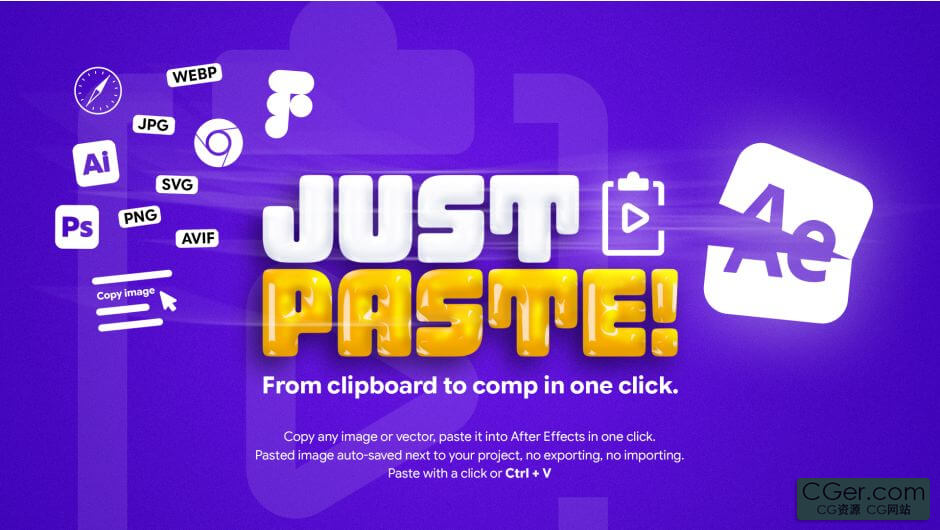
JustPaste! is an extension for Adobe After Effects that turns the tedious, multi‑step workflow of saving, exporting, locating, and dragging asset files into a single, seamless copy‑and‑paste action.
Copy almost any visual asset to your clipboard from virtually any app (web browsers, image viewers, screenshots, Illustrator, Photoshop, Figma, and more), or copy one or several files in Finder or Explorer, then return to After Effects, bring up the JustPaste! panel, and click PASTE! (or press Ctrl+V / Cmd+V while the panel is active). Once pasted, the extension automatically names the asset, saves it right next to your After Effects project (optionally inside a dedicated folder), and instantly drops it into your active composition. And it handles the assets that normally refuse to be pasted: copy an animated GIF from the web and it arrives with its full animation, not a frozen first frame. Copy an SVG (raw code or a visually copied element) and watch it turn into fully editable shape layers right on your timeline.
描述:
标签: ae After Effects 插件 软件 工具分类:资源 > 软件资源 > After effects 插件
发布:CGer | 查看: | 发表时间:2026/7/11 15:36:40 | 更新时间:2026/10/12 17:21:37
○ 充值或账号问题请【点击这里联系站长】 |

| JustPaste v1.0 链接: https://pan.baidu.com/s/1Lt13BRUcSzBfSaHs4HPyDg?pwd=w7sd 提取码: w7sd JustPaste v1.2.1 链接: https://pan.baidu.com/s/1qEPKC5s8LxKX03aM1ssKsA?pwd=d5cq 提取码: d5cq JustPaste_v2.0.0 链接: https://pan.baidu.com/s/1stjQTS_DCc7ftB7BbxaGPg?pwd=at43 提取码: at43 | |
| 常见问题,点击查询: | ||
| ●CGer(Cg儿)资源下载帮助 | ||
| ●资源名词解释 | ||
| ●注册/登陆问题 | ||
| ●充值出错/修改密码/忘记密码 | ||
| ●充值赠送系统 | ||
| ●文件解压出错/解压密码 | ||
| ●Payment with Paypal | ||
| ●哪些资源会被列为付费资源 | ||
| ●为何要充值解锁 | ||
| ●免责条款 | ||
| ●联系站长(联系站长前请先仔细阅读 免责条款 ,网站只提供资源,不提供软件安装等服务!) | ||




-
网站置顶/公示帖集合
42 0 0
资源 > 软件资源 > After effects 插件
-
网站置顶/公示帖集合
344 0 0
资源 > 软件资源 > After effects 插件
-

网站置顶/公示帖集合
10 0 0
资源 > 软件资源 > After effects 插件