PCB Generator for Blender
在 Blender 中即时创建 PCB / 主板,只需在修改器选项卡中调整设置,即可为您的 Blender 项目获得独特的资产。
所有 PCB 均通过自定义几何节点设置和材质程序化生成。在修改器选项卡中,您可以调整宽度、高度、边框、颜色、填充率、密度和元件缩放。您可以将自己的资产添加到大纲视图的集合中,放入“PCB Comps Common”、“PCB Comps Rare”或“PCB Comps Large”中。
在此 Blender 文件(.blend)中,您将找到所有必要的资产、材质和几何节点。
该文件及其包含的资产根据知识共享许可协议(CC-BY)免费使用。
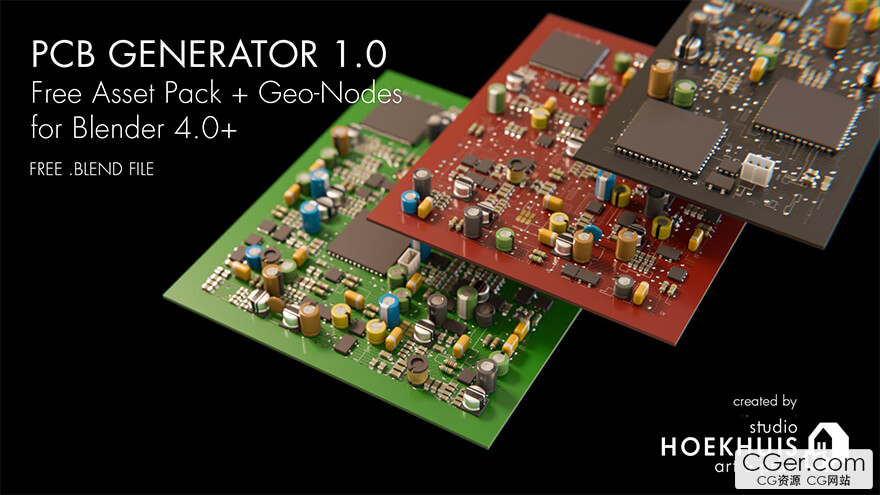
Create a PCB / Motherboard on the fly in Blender — just tweak the settings in the Modifier Tab and you get a unique asset for your Blender project.
All PCBs are procedurally generated with a custom Geometry Nodes setup and material. In the Modifier Tab, you can tweak the width, height, border, color, population, density, and scale of the elements. You can add your own assets to the collections in the Outliner, placing them in 'PCB Comps Common', 'PCB Comps Rare', or 'PCB Comps Large'.
In this Blender file (.blend), you'll find all necessary assets, materials, and Geometry Nodes.
The file and included assets are free to use under the Creative Commons: CC‑BY license.
描述:
标签: blender 插件 软件 工具 建模 电路板 主板分类:资源 > 软件资源 > Blender及其插件
发布:CGer | 查看: | 发表时间:2026/7/19 22:56:26 | 更新时间:2026/7/19 22:58:44
○ 充值或账号问题请【点击这里联系站长】 |

| 网盘下载链接 链接: https://pan.baidu.com/s/1c5QvLpM37QgjrD4vut42og?pwd=x5v3 提取码: x5v3 | |
| 常见问题,点击查询: | ||
| ●CGer(Cg儿)资源下载帮助 | ||
| ●资源名词解释 | ||
| ●注册/登陆问题 | ||
| ●充值出错/修改密码/忘记密码 | ||
| ●充值赠送系统 | ||
| ●文件解压出错/解压密码 | ||
| ●Payment with Paypal | ||
| ●哪些资源会被列为付费资源 | ||
| ●为何要充值解锁 | ||
| ●免责条款 | ||
| ●联系站长(联系站长前请先仔细阅读 免责条款 ,网站只提供资源,不提供软件安装等服务!) | ||





-

网站置顶/公示帖集合
2 0 0
资源 > 软件资源 > Blender及其插件
-

网站置顶/公示帖集合
82 0 0
资源 > 软件资源 > Blender及其插件
-

网站置顶/公示帖集合
79 0 1
资源 > 软件资源 > Blender及其插件