Character Class - Character Art For Games
Character Class - Character Art For Games
过去几年里,我学到了要创作出一件能够脱颖而出、引人注目的专业级、可用于工作室作品集的作品,实际上需要付出什么。无论你是在打磨你的第一个角色,还是为了下一个重要职位而优化你的工作流程,本课程旨在通过结构化的指导、责任追踪和每一步的反馈,帮助你更快地达成目标。
没有什么秘诀……只有正确的结构、指导和社区来帮助你成长。
课程运作方式
从技术技能到专业结构和支持,构建一份可用于求职的作品集所需的一切。
创建一个可用于游戏的角色
跟随 J 完成从选择概念到最终展示的完整角色制作流程。学习 AAA 工作室中用于雕刻、拓扑重排、纹理、灯光、摆姿和渲染角色的技术,为你的作品集做好准备。你将完成一个完整的专业质量作品,并掌握独立完成后续项目的技能。
可下载的项目文件
在每一步中,你都可以访问 J 在课程中使用的相同文件。这意味着包括雕刻、UV、Substance 文件、Unreal Engine 项目等,以便你可以跟随操作并逆向工程真实工作。
社区支持
你不必独自完成这一切。加入一个充满支持性艺术家的 Discord 社区,获取反馈,分享进度,并与其他学员一起学习。无论你是卡在拓扑问题上还是寻找灵感,社区都会帮助你继续前进。
课堂演示使用了 Maya、ZBrush、Substance Painter 和 Unreal Engine,但可以使用替代软件。Blender 和 Marmoset Toolbag 也有简要提及。唯一的要求是 ZBrush,并强烈推荐 Substance Painter,因为这些是所有工作室都在使用的行业标准工具。
25.8GB.
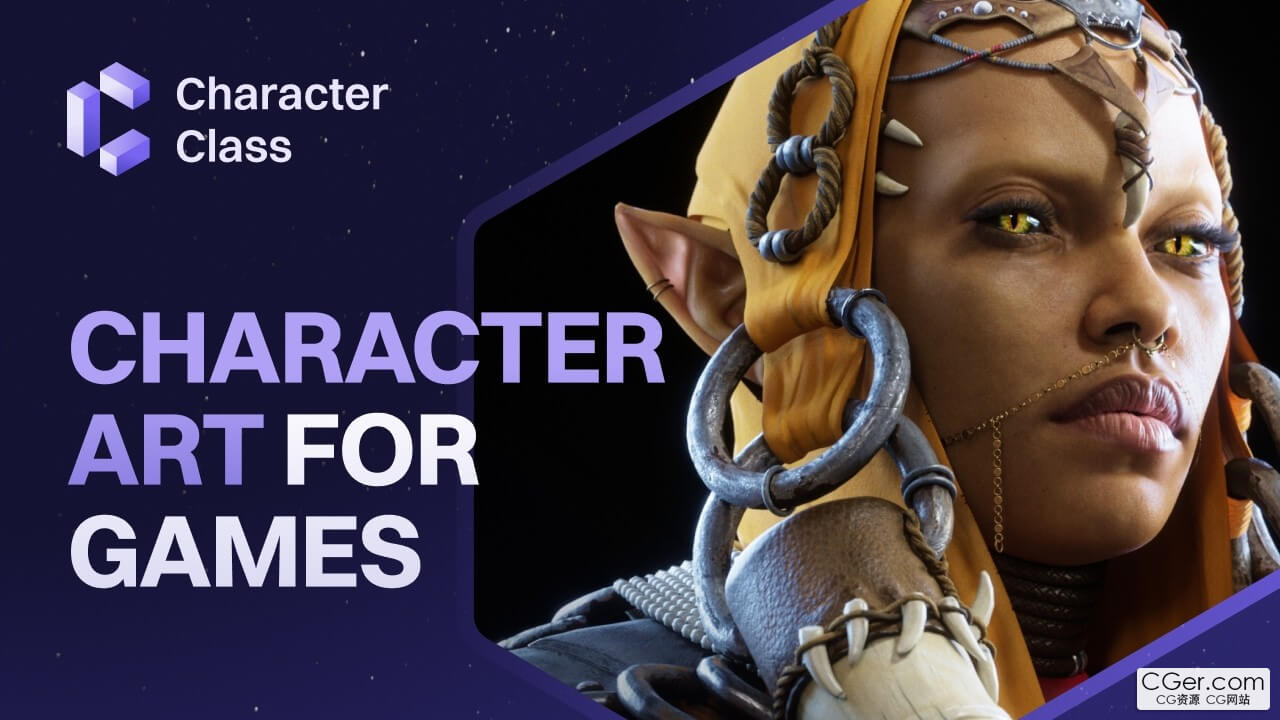
Over the past few years, I've learned what it actually takes to create a professional, studio‑ready portfolio piece that stands out and gets noticed. Whether you're polishing your first character or refining your workflow for your next big role, this course is designed to help you get there faster with structure, accountability, and feedback every step of the way.
There's no secret… Just the right structure, mentorship, and community to help you grow.
How The Class Works
Everything you need to build a job‑ready portfolio piece — from technical skills to professional structure and support.
Create a Game‑Ready Character
Follow J through a full character pipeline, from choosing your concept to final presentation. Learn the techniques used in AAA studios to sculpt, retopo, texture, light, pose, and render a character ready for your portfolio. You'll finish with a complete professional‑quality piece and the skills to do it again.
Downloadable Project Files
Every step of the way, you'll have access to the same files J uses in the lessons — sculpts, UVs, Substance files, Unreal Engine projects, and more — so you can follow along and reverse engineer real work as you go.
Community Support
You don't have to do this alone. Join a Discord community full of supportive artists, get feedback, share progress, and learn alongside other students. Whether you're stuck on topology or looking for inspiration, the community is there to help you keep going.
The demonstration used in the class uses Maya, ZBrush, Substance Painter, and Unreal Engine; however, substitutes can be used. Blender and Marmoset Toolbag are briefly mentioned. The only requirement is ZBrush, with a strong recommendation for Substance Painter, as those are industry‑standard tools that all studios use.
描述:
标签: maya 玛雅 zb 角色 建模 材质 渲染 教程分类:教程 > 3D教程 > Maya
发布:CGer | 查看: | 发表时间:2026/7/21 21:06:40 | 更新时间:2026/7/21 21:06:40
○ 充值或账号问题请【点击这里联系站长】 |


点击解锁当前付费资源,消耗 50 CG 点(约5.0 元), 24小时内有效(有效期内不重复扣点)
—————————————————————————————————————————————— | ||
| 哪些资源会被列为付费资源? ●站长付费购买的资源,站长从其他途径付费购买的资源。 ●资源包体积巨大,需要大量时间上传,占用大量存储空间的资源。(目前超过10GB的资源可能会列为付费资源) ●内容经常被某些人倒卖并恶意举报的资源,收费可以减少恶意举报的概率。 ●稀少的和高质量的资源。 |
| 常见问题,点击查询: | ||
| ●CGer(Cg儿)资源下载帮助 | ||
| ●资源名词解释 | ||
| ●注册/登陆问题 | ||
| ●充值出错/修改密码/忘记密码 | ||
| ●充值赠送系统 | ||
| ●文件解压出错/解压密码 | ||
| ●Payment with Paypal | ||
| ●哪些资源会被列为付费资源 | ||
| ●为何要充值解锁 | ||
| ●免责条款 | ||
| ●联系站长(联系站长前请先仔细阅读 免责条款 ,网站只提供资源,不提供软件安装等服务!) | ||