VectorStyler 1.3.023 Win
VectorStyler 将所有高级矢量和插画工具汇集于一体 - 一个完整、独立的软件包,无需订阅,毫不妥协。 它包含了大量强大且独特的工具,您在其他任何地方都找不到——VectorStyler 重新定义了矢量插画的无限可能。
可自定义的用户体验
自定义用户界面和工作流程的各个方面,包括快捷键、菜单、工具箱和工具栏。创建并保存您自己的工作区配置。
原生 Illustrator 导入
通过原生支持 Adobe Illustrator 文件格式,打开、导入或粘贴来自 Illustrator 的图稿,保留所有高级可编辑属性。
扩展兼容性
导入图稿并导出为各种常见文件格式,如 AI、PDF、SVG、DWG、DXF、PSD、PNG 和 TIFF。导入和导出 PSD 文件时,保留图层层次结构并保持矢量可编辑性。
强大的吸附选项
使用高级吸附选项实现精确操作,包括旋转网格和参考线、碰撞吸附和形状切线吸附。将任何对象形状转换为参考线。
真正的矢量画笔
在任何形状或轮廓上使用真正的矢量画笔进行绘制。画笔可以是艺术画笔、图案画笔、散点画笔或毛刷笔。从任何组或图层创建新的画笔样式或预设。
按属性选择对象
按样式或其他属性选择对象。选择与所选对象具有相似样式或属性的对象。
魔棒工具
使用魔棒选择模式和魔棒面板,选择与指向对象相似的对象。按面积或长度选择相似形状。
调色板
轻松使用文档和全局调色板。从外部格式打开多个调色板。无缝管理调色板。
高级半色调
在图层或图像上创建复杂的矢量半色调。使用外观面板在一个对象上处理多个半色调。
沿路径对齐对象
在路径上创建非破坏性的对象对齐。在路径上对齐和分布多个对象。
矢量投影
在对象或组上创建矢量投影效果。使用投影面板调整投影选项。
参数化形状
使用大量参数化形状进行绘制。使用形状面板调整形状属性。使用节点工具编辑参数化形状。
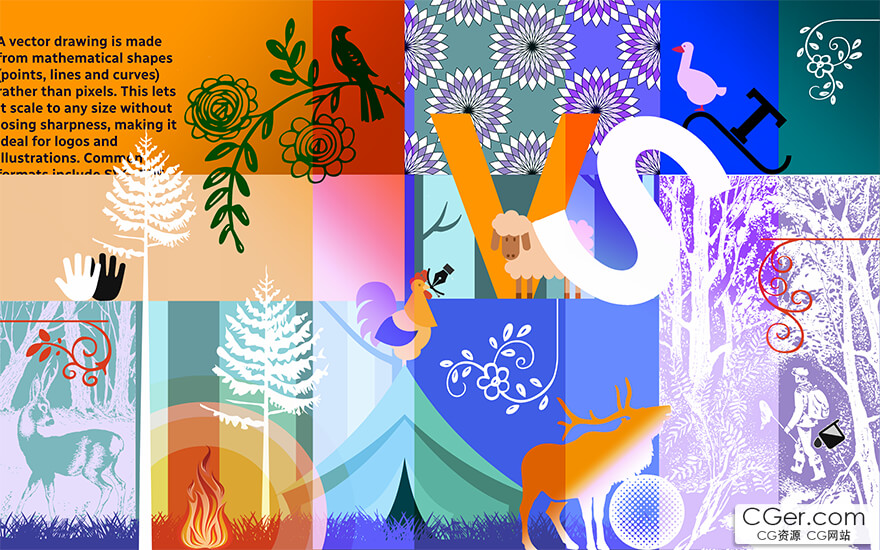
VectorStyler brings every advanced vector and illustration tool together — in one complete, independent package, with no subscriptions and no compromises. Packed with powerful, unique tools you won't find anywhere else — VectorStyler redefines what's possible in vector illustration.
Customizable User Experience
Customize all aspects of the user interface and workflow, including shortcuts, menus, toolboxes, and toolbars. Create and save your own workspace profiles.
Native Illustrator Import
Open, import, or paste artwork from Adobe Illustrator using native Illustrator file format support, retaining all high‑level editable attributes.
Extended Compatibility
Import artwork and export to various common file formats like AI, PDF, SVG, DWG, DXF, PSD, PNG, and TIFF. Import and export PSD files while retaining layer hierarchy and keeping editable vectors.
Powerful Snapping Options
Use advanced snapping options for precision, including rotated grids and guidelines, collision, and tangent‑to‑shape snapping. Turn any object shape into a guideline.
Real Vector Brushes
Paint with and use real vector brushes on any shape or outline. Brushes can be of artistic, pattern, scatter, or bristle type. Create new brush styles or presets from any group or layer.
Select Objects by Attribute
Select objects by style or other attributes. Select objects with a similar style or attribute as the selected objects.
Magic Wand Tool
Use the Magic Wand selection mode and the Magic Wand panel to select objects similar to the pointed object. Select similar shapes by area or length.
Color Palettes
Work with document and global color palettes easily. Open multiple color palettes from external formats. Manage palettes seamlessly.
Advanced Halftones
Create complex vector halftones on layers or images. Work with multiple halftones on one object using the Appearance panel.
Align Object on Path
Create non‑destructive object alignment on a path. Align and distribute multiple objects along a path.
Vector Drop Shadow
Create vector drop shadow effects on objects or groups. Adjust the drop shadow options using the Drop Shadow panel.
Parametric Shapes
Draw with a large collection of parametric shapes. Adjust shape properties using the Shape panel. Use the Node tool to edit parametric shapes.
描述:
标签: 矢量 软件 工具分类:资源 > 软件资源 > 软件资源:未分类
发布:CGer | 查看: | 发表时间:2026/8/22 20:05:33 | 更新时间:2026/8/22 20:13:45
○ 充值或账号问题请【点击这里联系站长】 |


点击消耗 10 CG点(约 1.0 元)解锁 30个通用资源, 24小时内有效!(有效期内不重复扣点)



| 常见问题,点击查询: | ||
| ●CGer(Cg儿)资源下载帮助 | ||
| ●资源名词解释 | ||
| ●注册/登陆问题 | ||
| ●充值出错/修改密码/忘记密码 | ||
| ●充值赠送系统 | ||
| ●文件解压出错/解压密码 | ||
| ●Payment with Paypal | ||
| ●哪些资源会被列为付费资源 | ||
| ●为何要充值解锁 | ||
| ●免责条款 | ||
| ●联系站长(联系站长前请先仔细阅读 免责条款 ,网站只提供资源,不提供软件安装等服务!) | ||