MeshMorph 1.4
你的调整图层就是网格。 拖动网格上的点即可重塑其下方的一切内容,随后移动、缩放、旋转该图层或将其设为 3D,变形仍会保持附着。两个网格,一个滑块: 先构建好最终形状,再用 Amount 滑块混合到该形状。你也可以跳过调整图层,直接将其应用到某个图层上,功能相同——对于文字和形状,网格会自动贴合字母轮廓。适用于 After Effects 和 Premiere Pro。
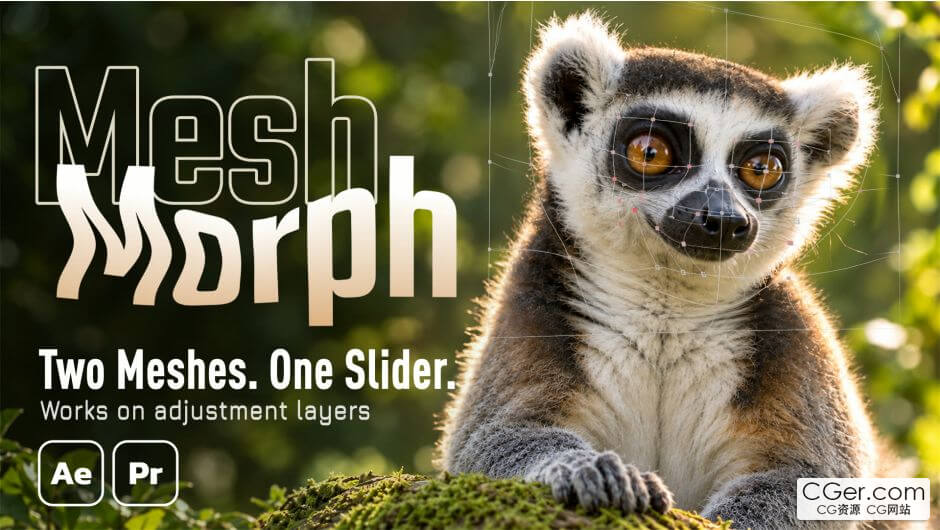
Your adjustment layer is the mesh. Drag the points of a grid to reshape everything underneath, then move, scale, rotate or make the layer 3D and the warp stays attached. Two meshes, one slider: build the finished shape once and Amount blends to it. You can also skip the adjustment layer and apply it directly to a layer, with the same features — on text and shapes, the mesh fits the letters automatically. Works in After Effects and Premiere Pro.
描述:
标签: ae After Effects 插件 软件 工具 pe pr分类:资源 > 软件资源 > After effects 插件
发布:CGer | 查看: | 发表时间:2026/10/27 16:31:24 | 更新时间:2026/10/27 16:31:24
○ 充值或账号问题请【点击这里联系站长】 |

| 网盘下载链接 链接: https://pan.baidu.com/s/1CDCu_xKn1nHP7BKzOa1D5g?pwd=8ned 提取码: 8ned | |
| 常见问题,点击查询: | ||
| ●CGer(Cg儿)资源下载帮助 | ||
| ●资源名词解释 | ||
| ●注册/登陆问题 | ||
| ●充值出错/修改密码/忘记密码 | ||
| ●充值赠送系统 | ||
| ●文件解压出错/解压密码 | ||
| ●Payment with Paypal | ||
| ●哪些资源会被列为付费资源 | ||
| ●为何要充值解锁 | ||
| ●免责条款 | ||
| ●联系站长(联系站长前请先仔细阅读 免责条款 ,网站只提供资源,不提供软件安装等服务!) | ||





-

网站置顶/公示帖集合
0 0 0
资源 > 软件资源 > After effects 插件
-
网站置顶/公示帖集合
51 0 0
资源 > 软件资源 > After effects 插件
-
网站置顶/公示帖集合
70 0 8
资源 > 软件资源 > After effects 插件