Udemy - Understanding UI & CSS Box Model, Flexbox, Grid & Animation
您将全面理解盒模型、选择器、布局、图像和动画 - 以及它们如何作为一个整体系统协同工作。无需死记硬背,没有下周就会忘记的属性列表。这只是一个最终能让你真正理解的坚实基础。
最终理解 CSS - 以及您用它构建的界面。
完整地为单个盒子设置样式——间距、边框、背景、渐变和文字
使用您自己组合的选择器而非复制,定位页面上的任何元素
使用 Grid 和 Flexbox 构建任何布局——并知道在什么情况下该使用哪一个
通过媒体查询和移动优先思维,使其在任何屏幕尺寸下都能正常工作
理解图像的本质——像素、格式、压缩——并提供正确的图像
使用过渡和关键帧制作动画,并知道哪些动画开销小、哪些会拖慢浏览器
打开一个真实网站,从一个空白文件开始,实时重建它
CSS 不是一堆属性。它是一个系统——一旦你能看到这个系统,你就不再需要猜测了。
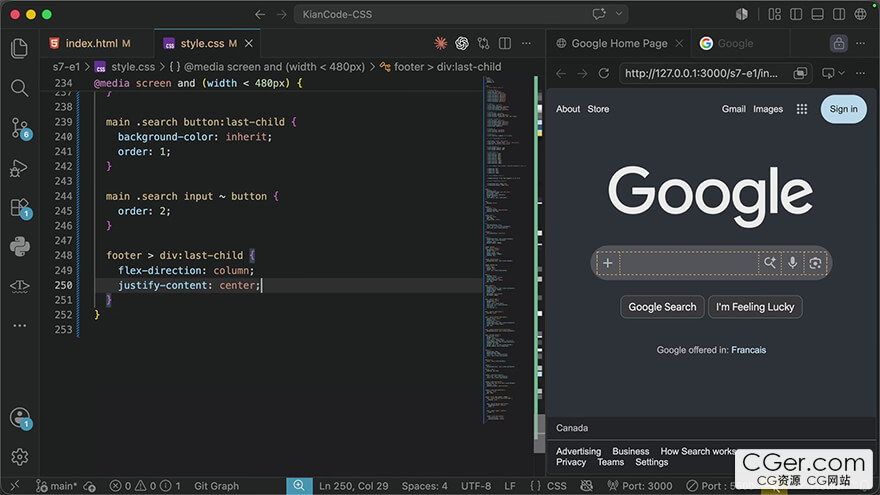
You'll build a complete understanding of the box model, selectors, layout, images, and animation — and how they fit together into one system. No memorization. No property lists you'll forget by next week. Just a foundation that finally makes sense.
Finally understand CSS — and the interfaces you build with it.
Style a single box completely — spacing, borders, backgrounds, gradients, and type
Target any element on a page with selectors you compose yourself instead of copy
Build any layout with Grid and Flexbox — and know which one the situation is asking for
Make it work at every screen size, with media queries and mobile‑first thinking
Understand what an image actually is — pixels, formats, compression — and serve the right one
Animate with transitions and keyframes, and know which animations are cheap and which stall the browser
Open a real website and rebuild it live, from an empty file
CSS isn't a pile of properties. It's a system — and once you can see the system, you stop guessing.
描述:
标签: 网页 设计 教程分类:教程 > 2D教程 > 其他2D教程
发布:CGer | 查看: | 发表时间:2026/8/17 15:35:38 | 更新时间:2026/8/17 15:40:48
○ 充值或账号问题请【点击这里联系站长】 |


点击消耗 10 CG点(约 1.0 元)解锁 30个通用资源, 24小时内有效!(有效期内不重复扣点)



| 常见问题,点击查询: | ||
| ●CGer(Cg儿)资源下载帮助 | ||
| ●资源名词解释 | ||
| ●注册/登陆问题 | ||
| ●充值出错/修改密码/忘记密码 | ||
| ●充值赠送系统 | ||
| ●文件解压出错/解压密码 | ||
| ●Payment with Paypal | ||
| ●哪些资源会被列为付费资源 | ||
| ●为何要充值解锁 | ||
| ●免责条款 | ||
| ●联系站长(联系站长前请先仔细阅读 免责条款 ,网站只提供资源,不提供软件安装等服务!) | ||